
Project Manager
An agent that runs the fleet for you
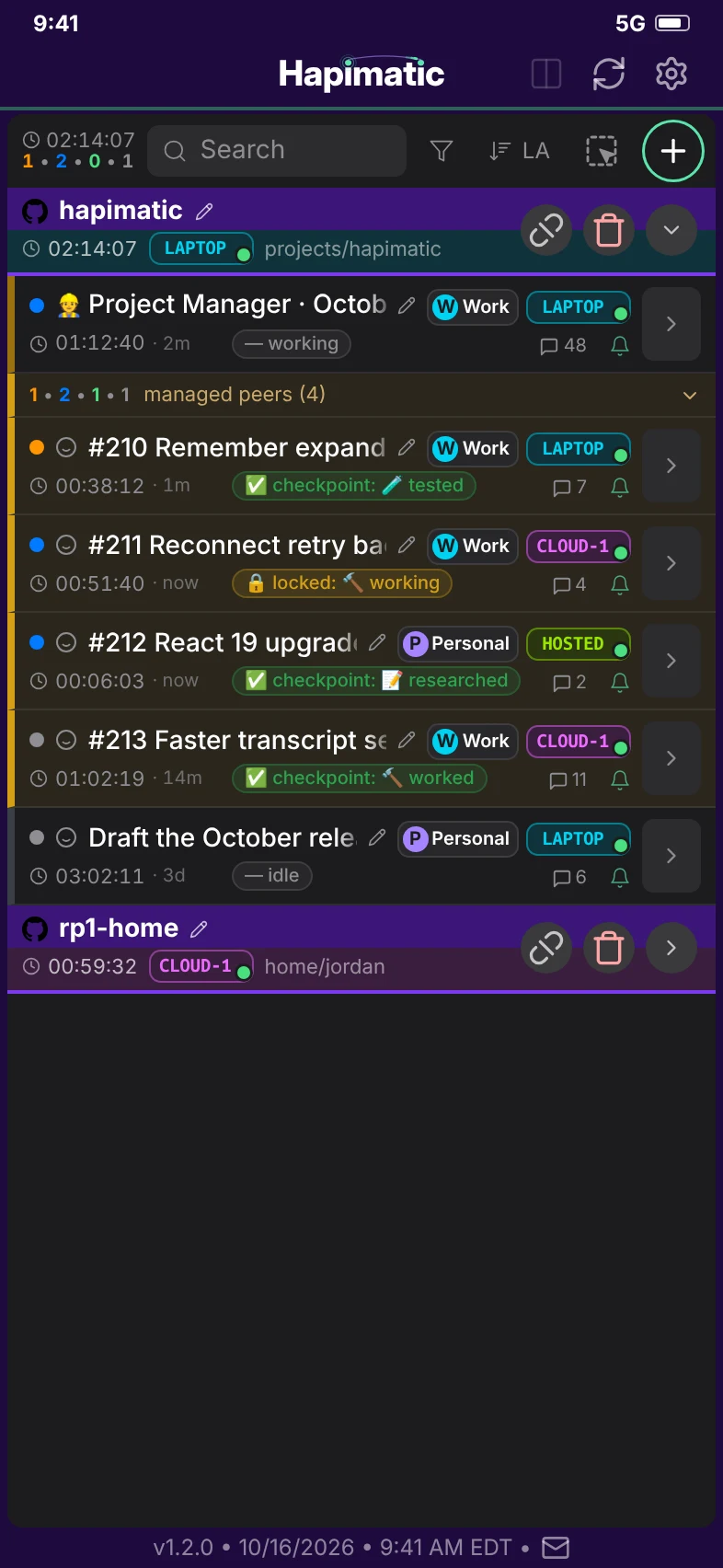
Stop bot-sitting. The Project Manager spawns peer sessions, hands out work, monitors them, and reports back to you in its own session, so work continues according to plan with nobody watching.
Built on the Issue Workflow
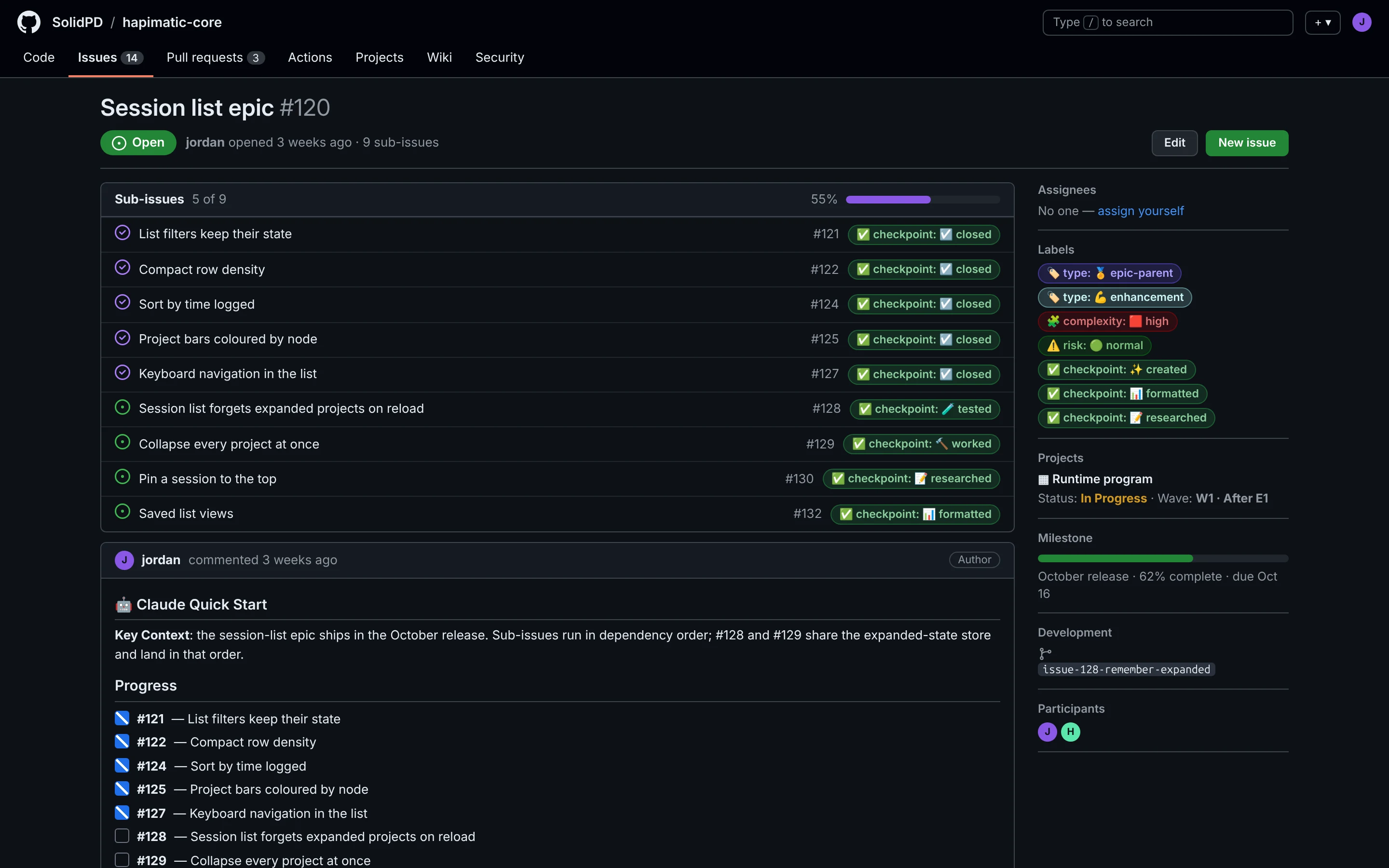
The Project Manager is the layer above the Issue Workflow, and it needs the Issue Workflow in place. The Issue Workflow gives every piece of work a home on a GitHub issue: its requirements, its plan, its state, and its evidence.
The Project Manager reads that record to decide what is ready, what depends on what, and what is safe to run in parallel. It spawns one peer session per issue, has each session take its issue through the same formatted, researched, implemented, tested, and closed states, and reads the labels and the evidence on the issues to know how the work is going.
Why it matters
Hand it the goal, not the steps
Assign the Project Manager an epic issue set, Milestone, GitHub Project v2, or just a list of issues. It handles issue dependencies, prioritization, what work is safe to run in parallel, spawns the peer sessions, and reliably drives the agent team to complete the work.
It watches so you do not have to
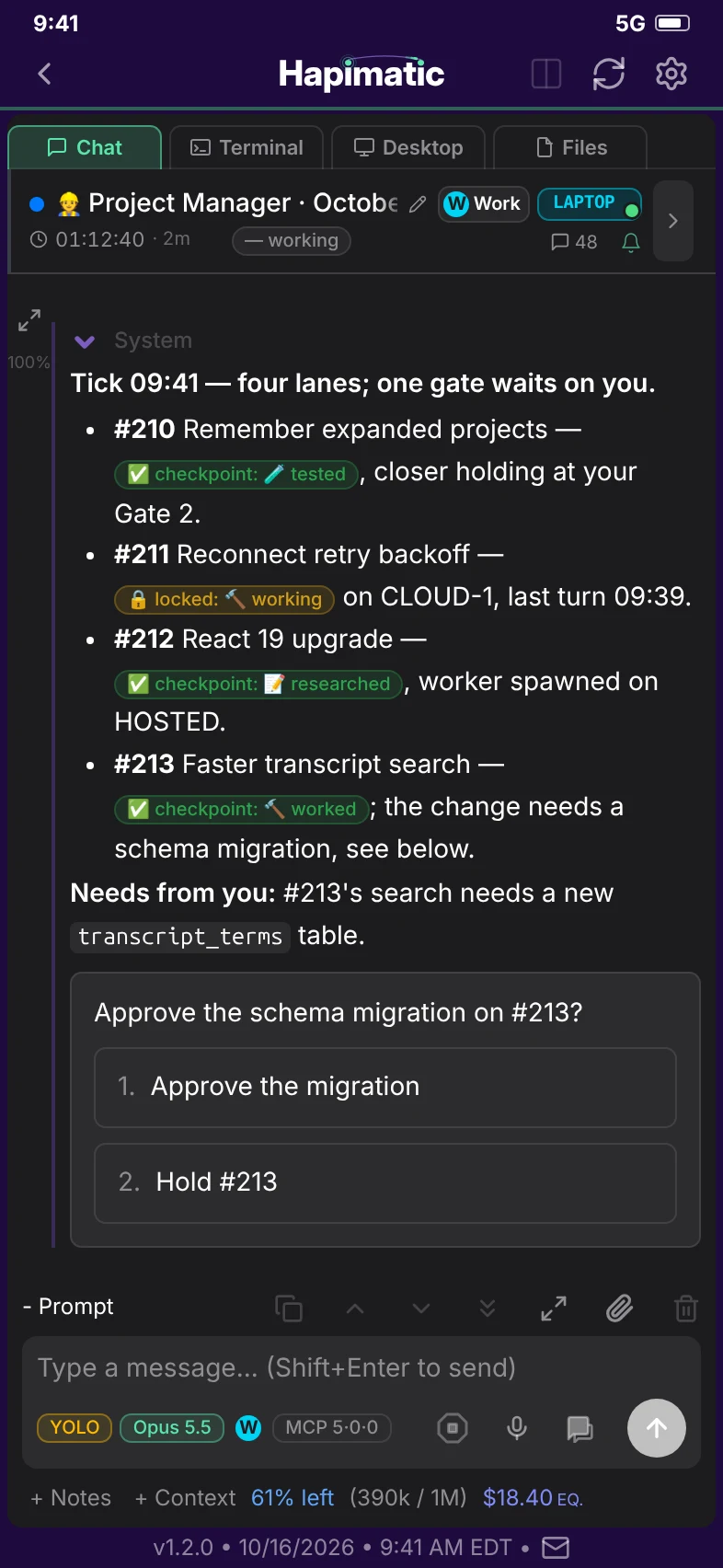
It checks every session on a schedule, unblocks what it can, and brings you only the decisions that are yours, in its own session.
One Point of Contact, not twenty tabs
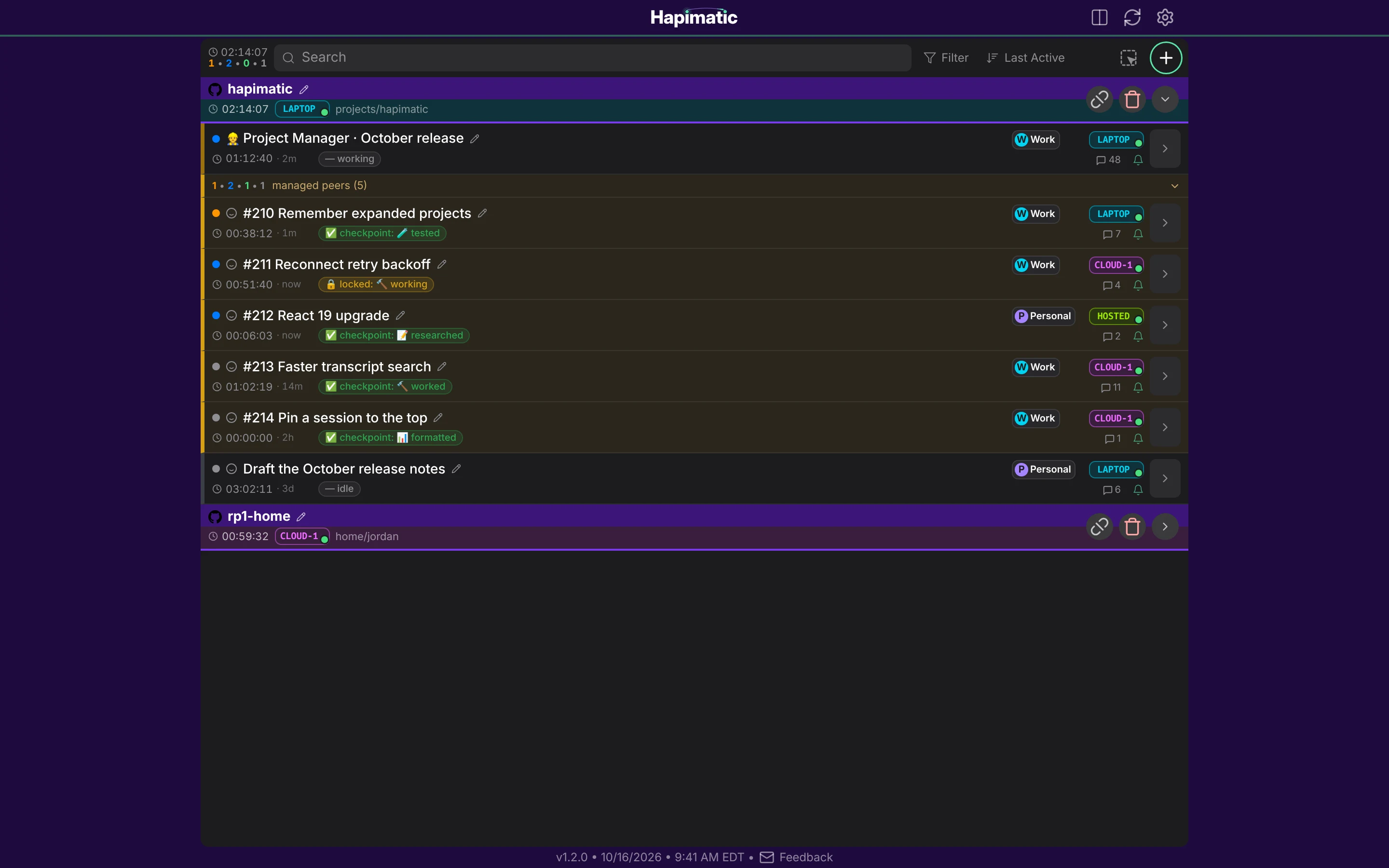
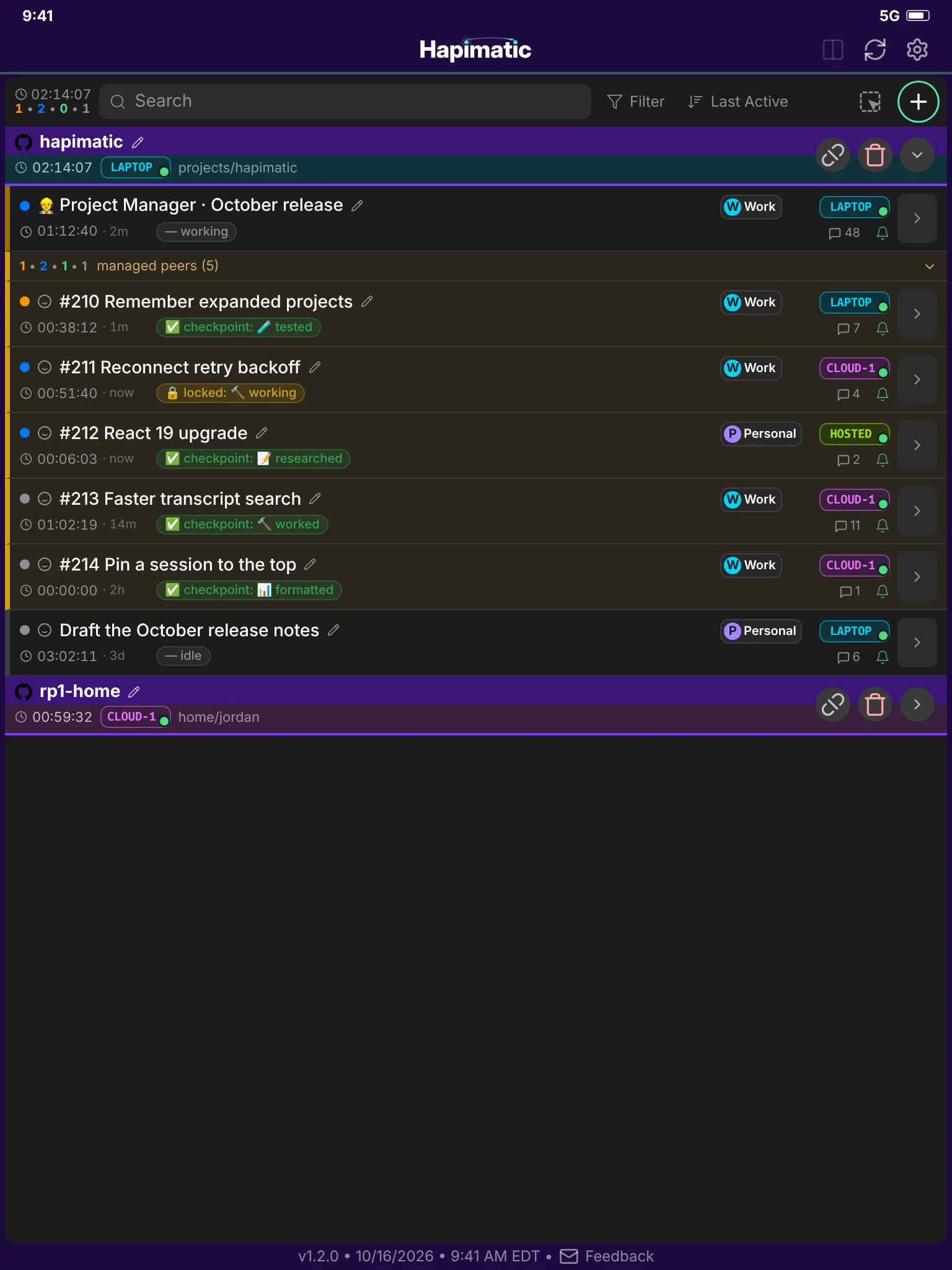
Stop shuffling between multiple terminal windows, browser tabs, and IDEs. The Project Manager handles the mess so you can focus your attention where it is most valuable. Talk to it in its own session, and it tells you by Telegram or push when it needs you.
How it works
- PlanIt reads the epic, orders the work, and finds what is safe to run in parallel.
- SpawnIt starts one peer session per issue, each in its own worktree, on any machine in your mesh.
- MonitorIt checks in on a schedule (what moved, what stalled, and what needs a decision) and tells you by Telegram or push when it needs you.
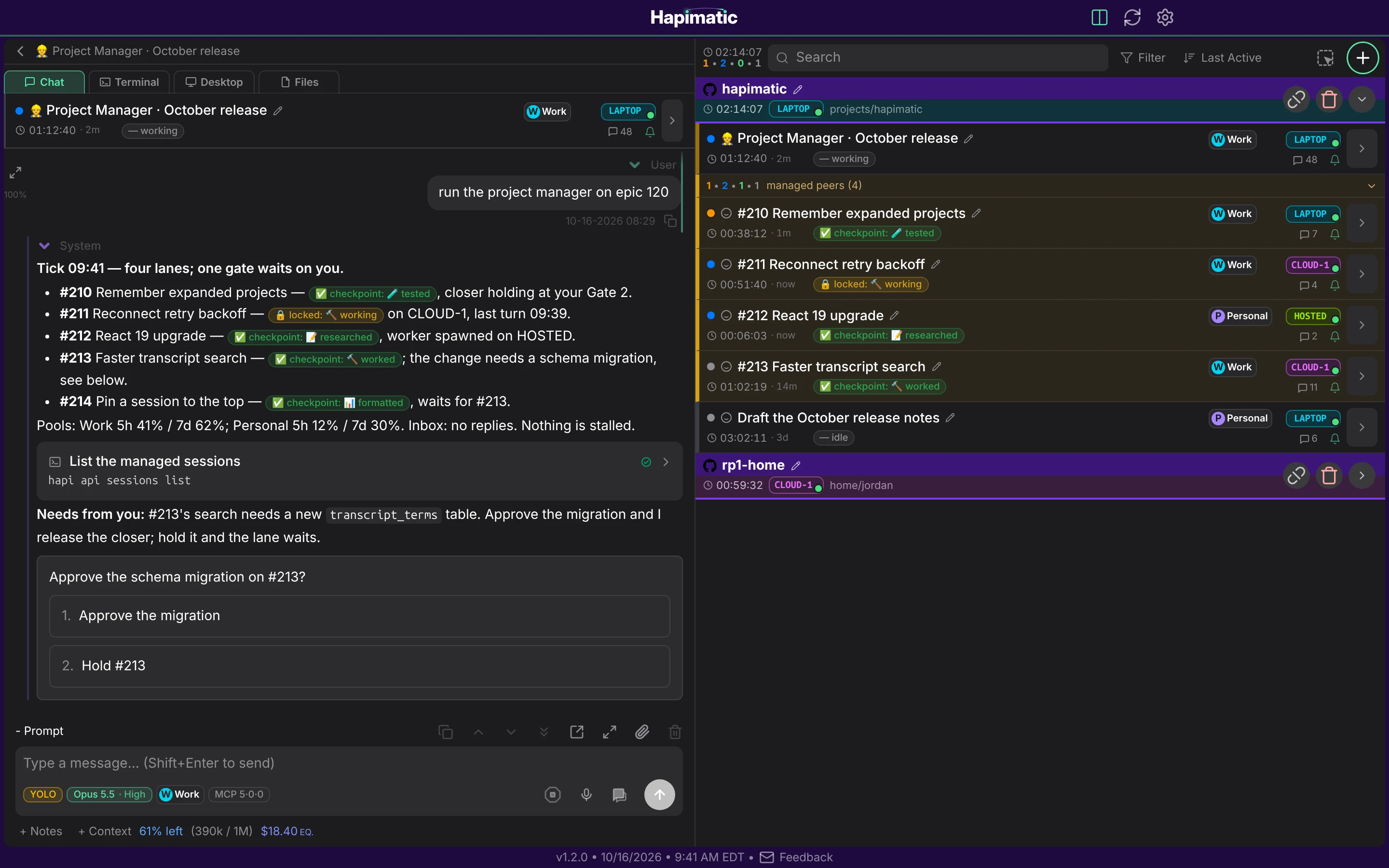
- EscalateIt brings you the decisions only you can make in its own session, with the context to answer in one reply.
- ReportIt reports back in its own session when the work is done, with the evidence for each issue.
What it can do
- Runs many sessions in parallel across your machines
- Keeps working with nobody watching
- Reports in its own session, and tells you by Telegram or push when it needs you
- Approval gates stay where you set them
- Carries on through restarts and long waits, like any other session
- Drives the Issue Workflow from first issue to last
In use
- run the project manager on epic 120
In pilot — contact us
A paid add-on of the hosted service. It is not part of the open-source core.
Paid add-ons for the hosted service
These are paid add-ons of the hosted service. They are not part of the open-source core.
-
Paid add-on
Issue Workflow
Your GitHub issues become the work queue.
- Every issue moves through formatted, researched, implemented, tested, and closed, with the evidence attached
- Anyone with access to the repo can see what is being worked and in what state
- The Issue Workflow can seed into an existing repo with issues already in progress; no preparation necessary
-
Paid add-on
Project Manager
An agent that runs the fleet for you
- The Project Manager spawns peer sessions and hands each one an issue from your plan
- It monitors every session on a schedule and unblocks what it can, so work continues with nobody watching
- It reports back to you in its own session and brings you only the decisions that are yours to make
-
Paid add-on
Hardware Bench
Extend your agent's reach into the physical world with sensors, actuators, lab instruments, PCB design software, and more.
- A bench camera lets your agent see the board, the indicator LEDs, and the instrument screens
- Your agent drives the lab instruments: it loads a rail, profiles the current, and captures an oscilloscope waveform
- It reads the schematic and edits the BOM and the PCB layout in KiCad to carry the fix through