
Hardware Bench
Optimized for solving firmware problems on hardware devices
Extend your agent's reach into the physical world with sensors, actuators, lab instruments, PCB design software, and more.
When your agent can see a physical PCB, read a schematic, operate a Programmer/Debugger, control benchtop lab equipment, and modify the BOM and PCB Layout in KiCad, you've closed the loop on automated electronics hardware design and troubleshooting.
Why it matters
Agents that can see the bench
Without physical senses, your agent has one hand tied behind its back. A camera over the workbench lets an agent look before it concludes: Is the LED flashing? Did the LCD screen update? Access to lab instruments lets your agent adjust voltage, monitor power consumption, capture an oscilloscope waveform, and more so it knows exactly what the hardware is doing.
Measurements, not guesses
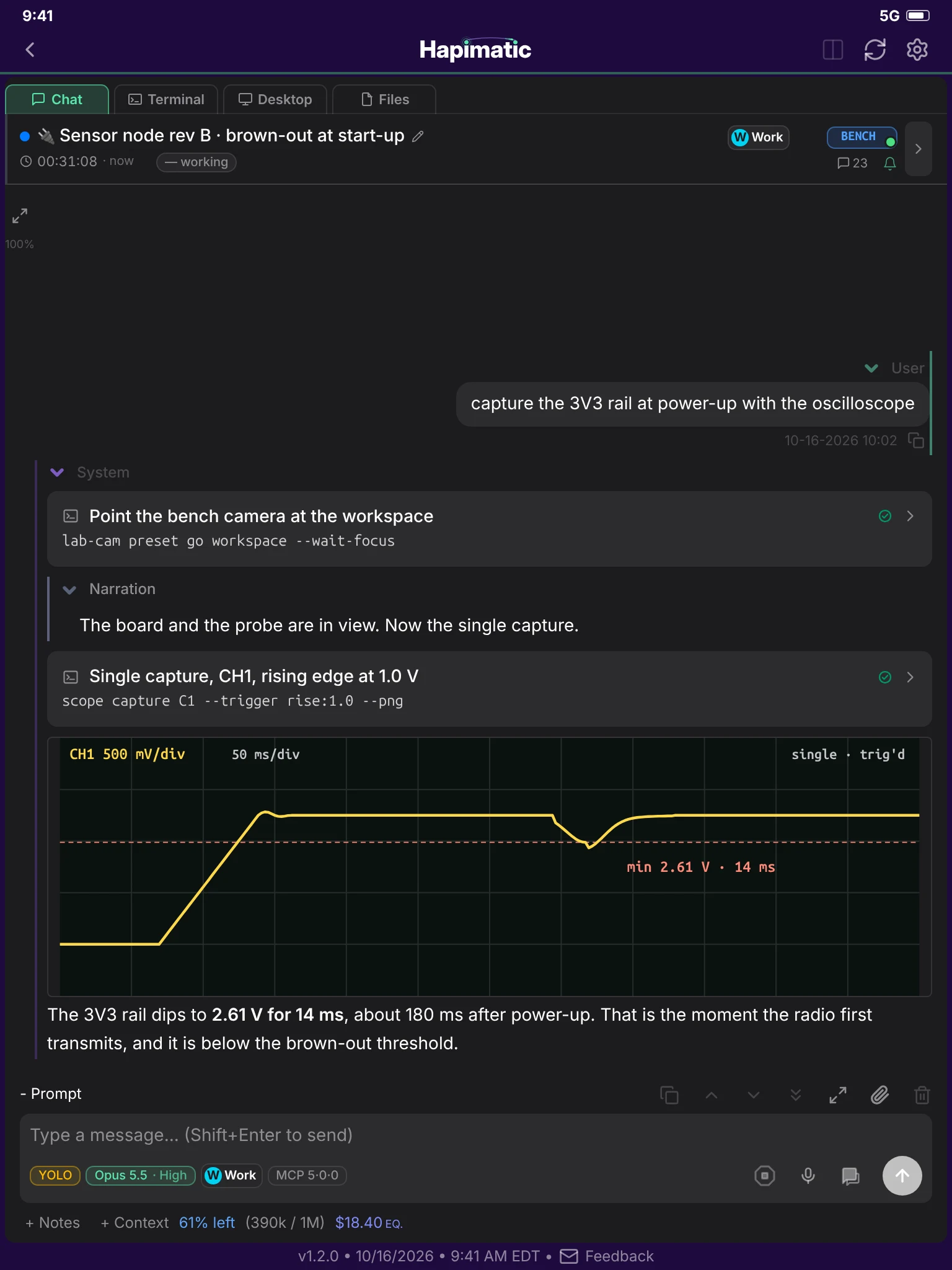
An agent that cannot measure reasons from the schematic alone and tells you what should be happening. With the oscilloscope, the electronic load, and the power profiler in reach, your agent measures what is happening: the real rail voltage at power-up, the real current in sleep, the real edge on the bus. Every conclusion arrives with the capture that supports it, attached to the issue for you to check.
From symptom to fix
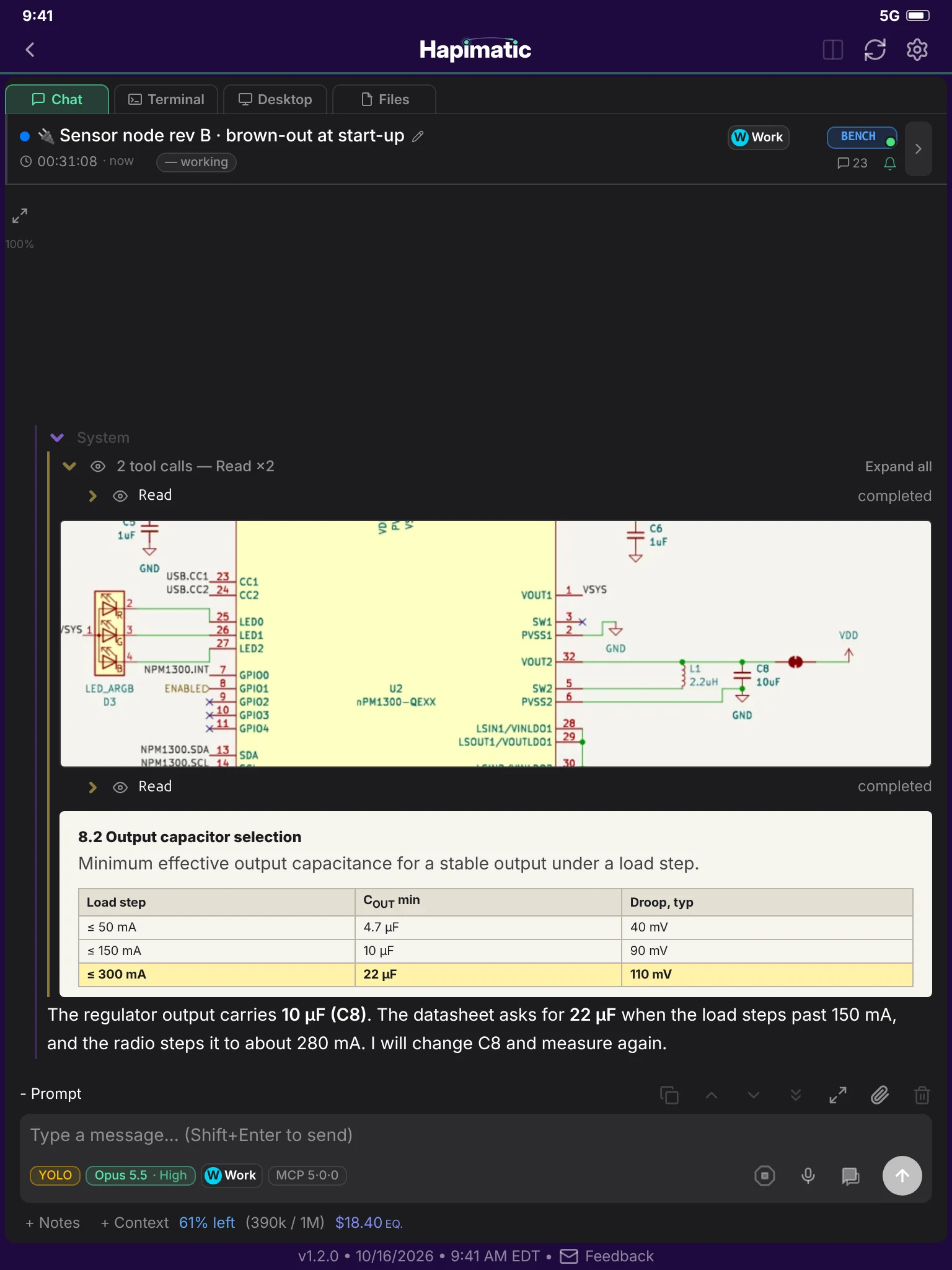
A fault report is only the start. Electronics skills carry the loop through: your agent traces the net in the schematic, reads the datasheet, forms a diagnosis, and changes the firmware or the design. Then it flashes the board, measures again, and keeps going around until the readings say the bug is gone. You get the fix with its before and after, not a list of things to try.
How it works
- ObserveYour agent can pan, tilt, and zoom the camera, take a frame, and read the board and the screens.
- MeasureIt sets up the instrument, captures the waveform or the current, and attaches the result to the issue.
- ReasonIt traces the net in the schematic, reads the datasheet, and forms a diagnosis.
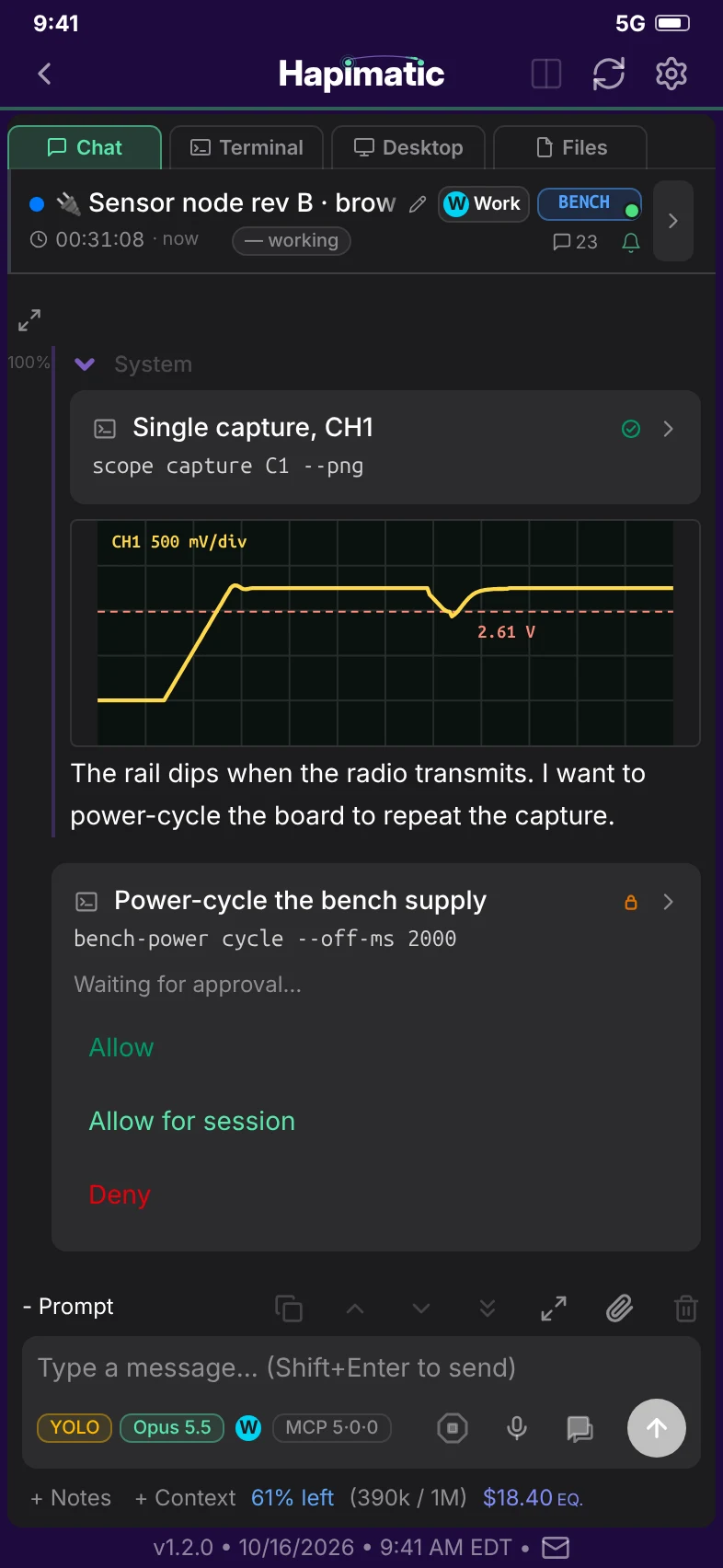
- ChangeIt edits the firmware or the design. Changing power or wiring waits for your approval.
- IterateIt measures again, compares before and after, and goes around again while the readings are still wrong.
- TroubleshootThis is closed-loop troubleshooting: Hapimatic makes a change to the device, observes the consequences of that change, and continues to iterate until the bugs are solved.
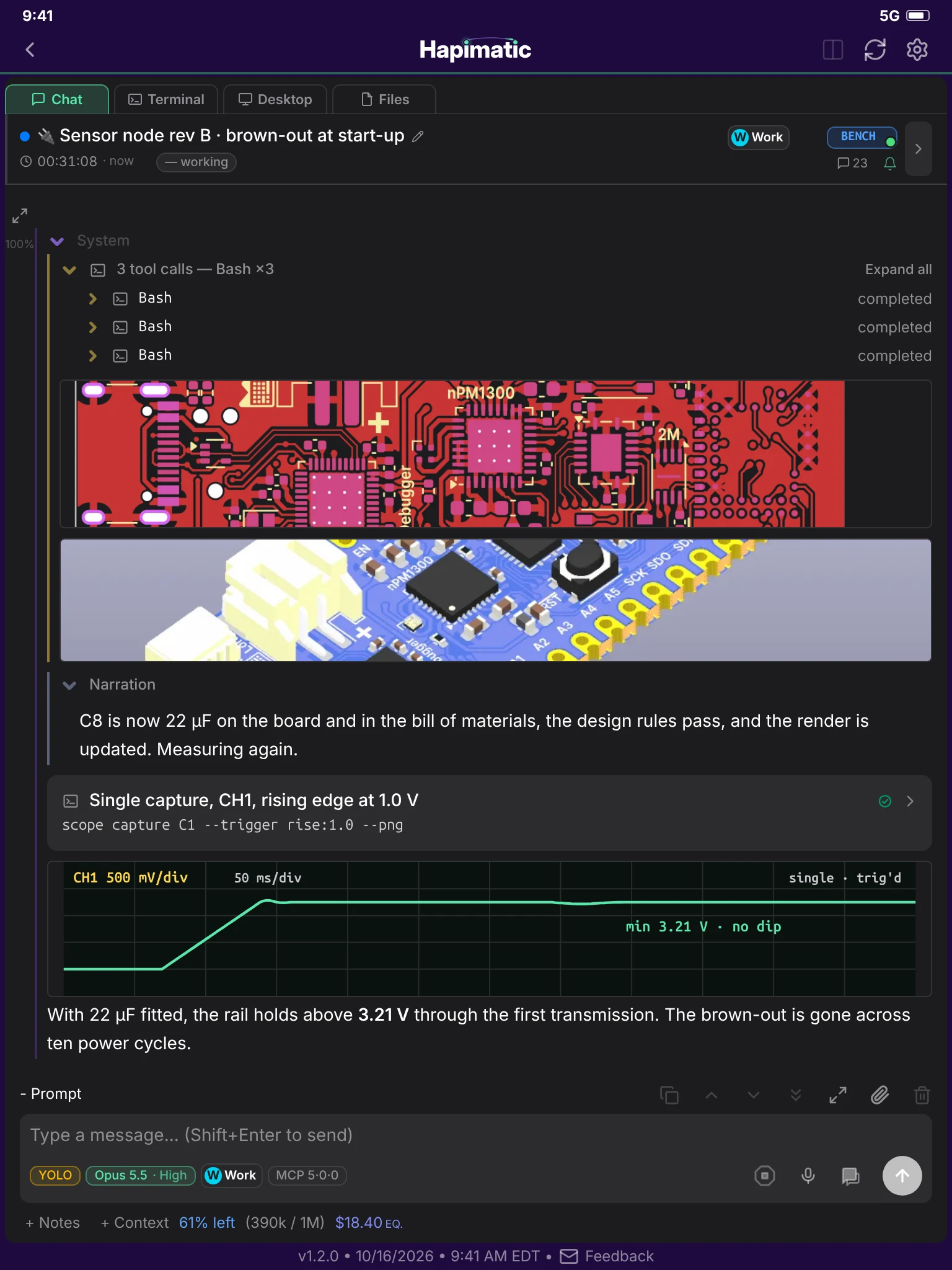
PCB: a KiCad demo board, CERN-OHL-P-2.0 (notices)
On the bench
Your agents can drive instruments like…
- Pan, tilt, and zoom bench camera
- Oscilloscope
- Programmable DC electronic load
- Power profiler and source meter
- Switched bench power with energy metering
- Programmer / debugger probe (SWD, JTAG)
- Serial and MicroPython device console
Electronics skills
- Schematic and PCB review with ERC, DRC, and design-rule lint
- Board renders and 3D review
- BOM, parts database, and distributor search
- Fabrication outputs: Gerbers, drill files, BOM, and placement files
- PCB fabrication support: build quotes from a KiCad project or Gerber files
- Altium and Eagle import to KiCad
- SPICE and firmware simulation
- Firmware build, flash, and debug
- Low Power Optimization
- Datasheet and manual lookup
What it can do
- Troubleshoot a firmware bug and verify the fix is working
- Use benchtop instrumentation to identify the root cause of hardware or firmware bugs
- Synthesize a device knowledge base by pulling together PCB design files, firmware, and physical measurements of the DUT
- Bring up a new board: confirm every rail, clock, and bus before the first line of application firmware runs
- Measure sleep current and find what is keeping the device awake
- Repeat the same measurements after every firmware change, so a regression shows up as a number instead of a surprise
- Review a schematic or layout against the datasheets and the design rules before you order boards
In use
- look at the bench: is the board powered?
- capture the 3V3 rail at power-up with the oscilloscope
- why does it brown out?
In pilot — contact us
A paid add-on of the hosted service. It is not part of the open-source core.
Paid add-ons for the hosted service
These are paid add-ons of the hosted service. They are not part of the open-source core.
-
Paid add-on
Issue Workflow
Your GitHub issues become the work queue.
- Every issue moves through formatted, researched, implemented, tested, and closed, with the evidence attached
- Anyone with access to the repo can see what is being worked and in what state
- The Issue Workflow can seed into an existing repo with issues already in progress; no preparation necessary
-
Paid add-on
Project Manager
An agent that runs the fleet for you
- The Project Manager spawns peer sessions and hands each one an issue from your plan
- It monitors every session on a schedule and unblocks what it can, so work continues with nobody watching
- It reports back to you in its own session and brings you only the decisions that are yours to make
-
Paid add-on
Hardware Bench
Extend your agent's reach into the physical world with sensors, actuators, lab instruments, PCB design software, and more.
- A bench camera lets your agent see the board, the indicator LEDs, and the instrument screens
- Your agent drives the lab instruments: it loads a rail, profiles the current, and captures an oscilloscope waveform
- It reads the schematic and edits the BOM and the PCB layout in KiCad to carry the fix through