
Issue Workflow
Your GitHub issues become the work queue.
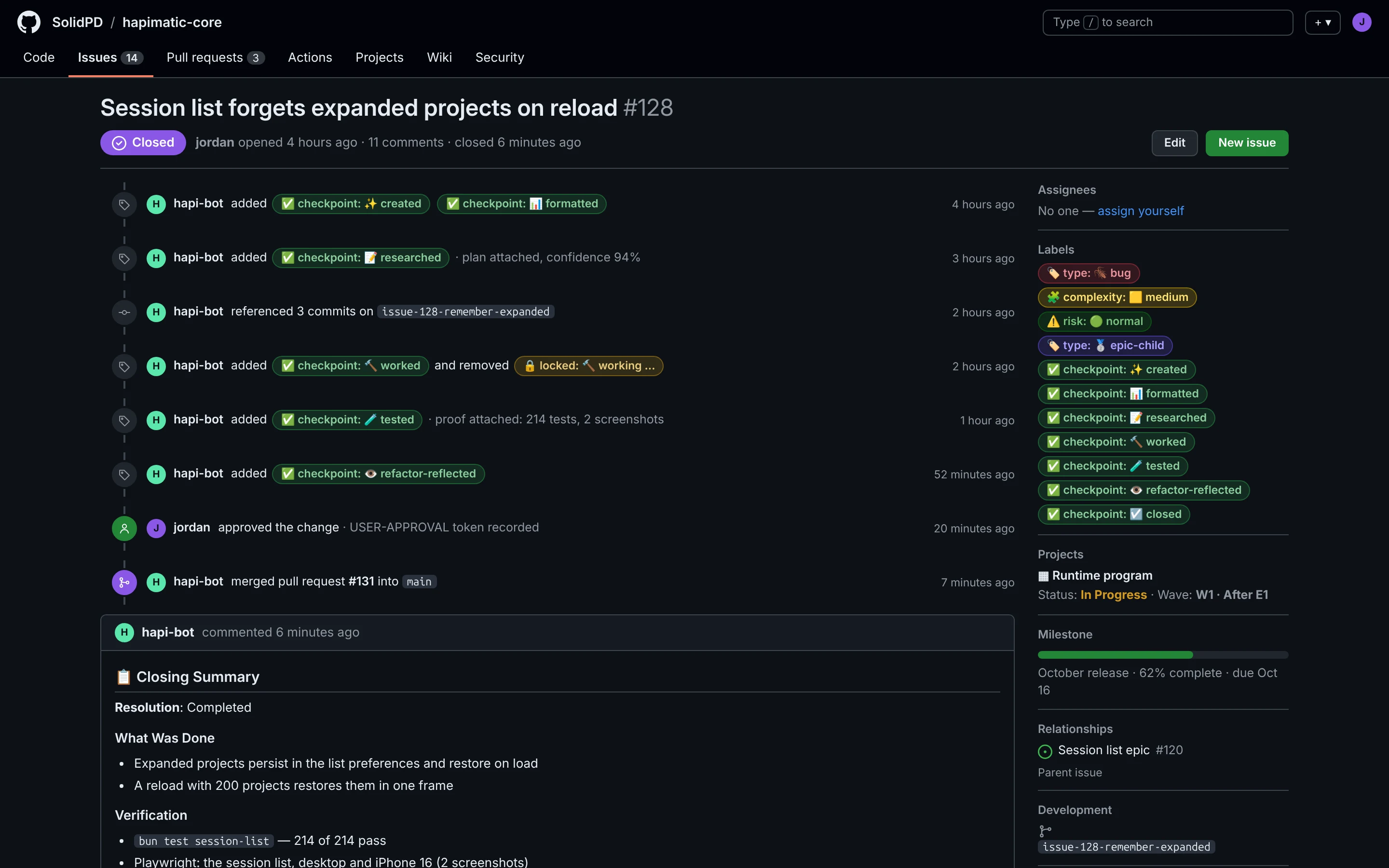
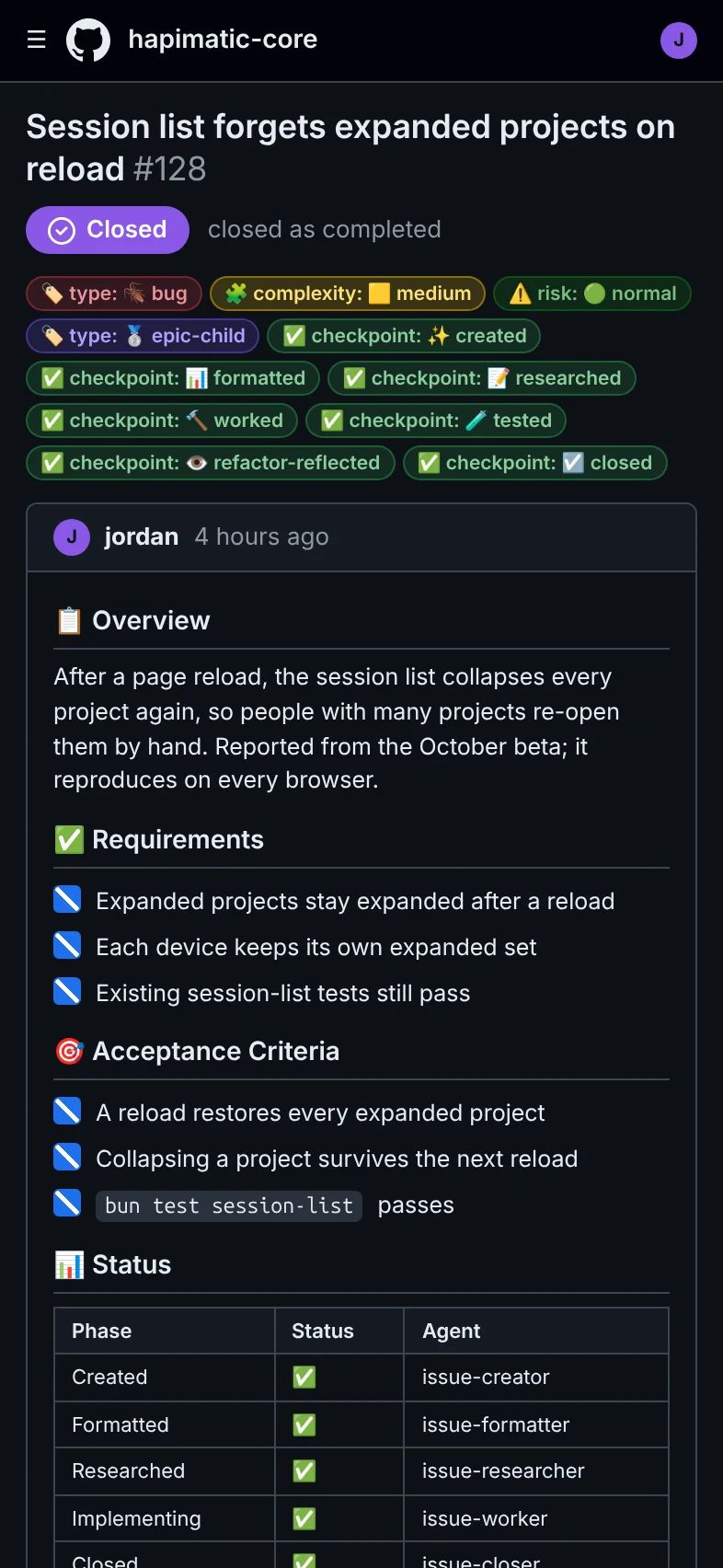
Every issue moves through formatted, researched, implemented, tested, and closed, with the evidence attached, and anyone with access to the repo can see what is being worked and in what state. The Issue Workflow can seed into an existing repo with issues already in progress; no preparation necessary.
Why it matters
The issue is the unit of work
Its state, its plan, and its evidence live on the GitHub issue, not in one agent's context. Close the session and nothing is lost.
You approve. Agents do the rest.
Work stops at the gates you choose. Between them, agents format, research, implement, and test without being asked twice.
Everyone sees the same queue
Anyone with access to the repo can see what is being worked and in what state.
How it works
- FormattedA rough request becomes a structured issue: requirements, acceptance criteria, risk, and size.
- ResearchedAn agent reads the code, writes the implementation plan, and states its confidence before anything changes.
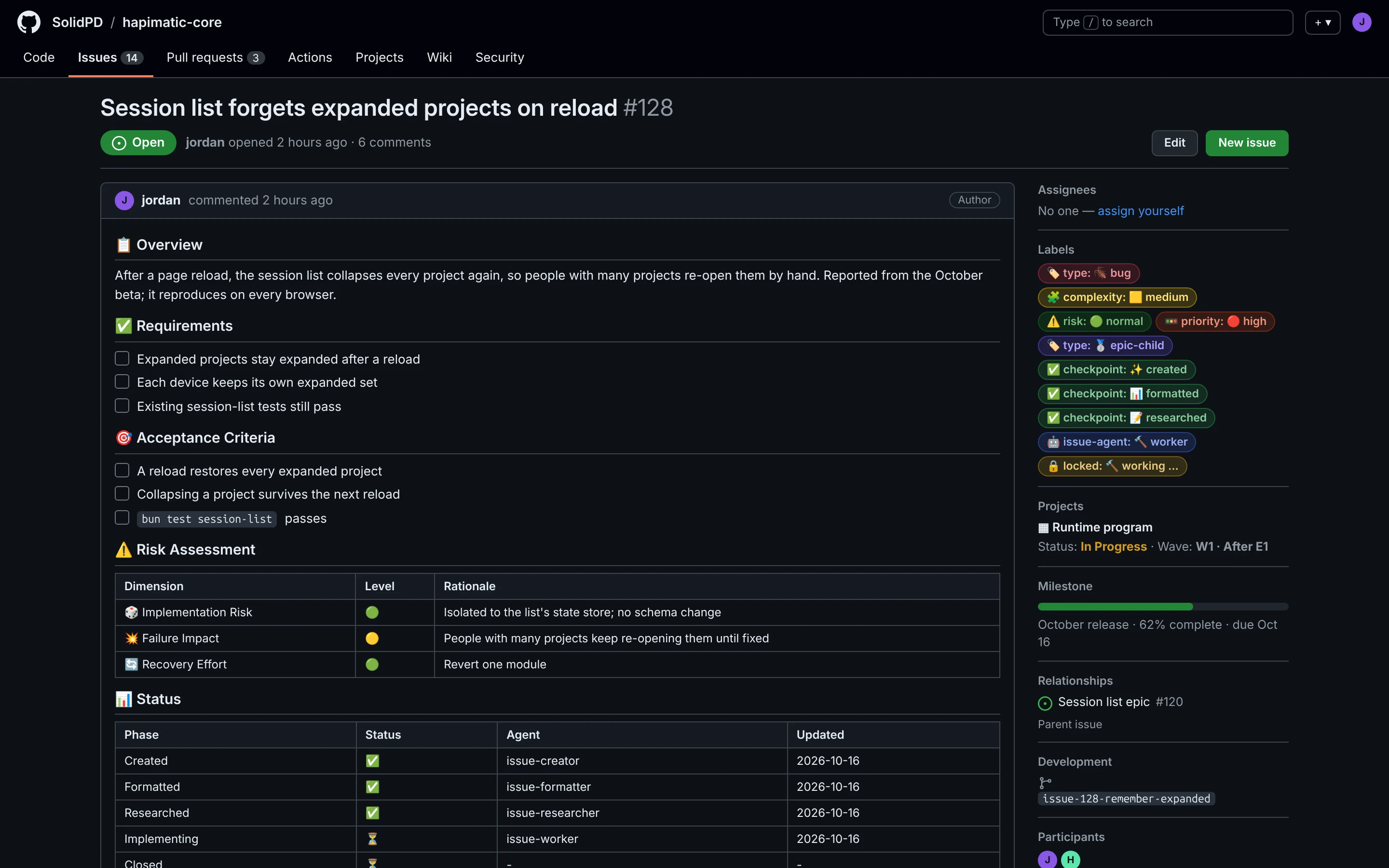
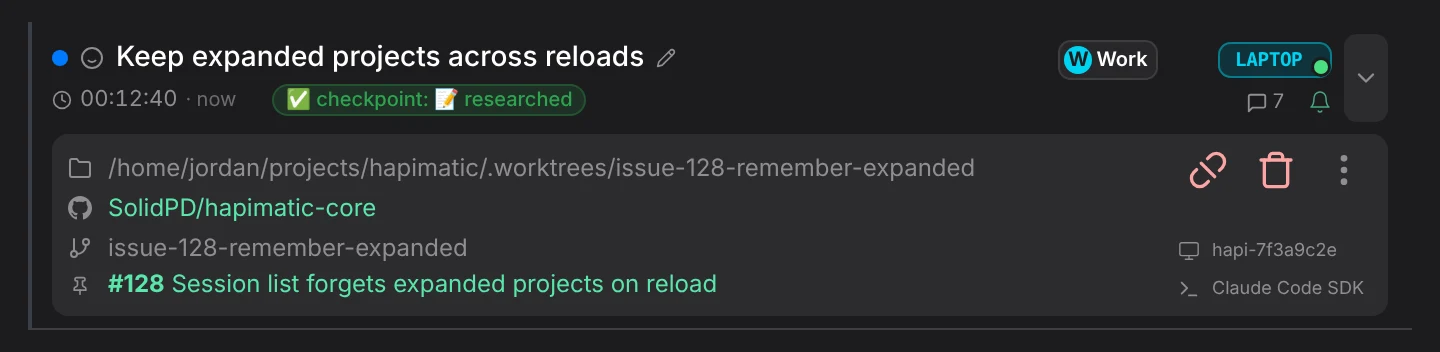
- ImplementedA session works the plan in its own worktree and commits against the issue.
- TestedThe change is verified the way a user would use it, and the proof is attached to the issue.
- ClosedAfter your approval: review, pull request, merge, and a closing summary on the issue.
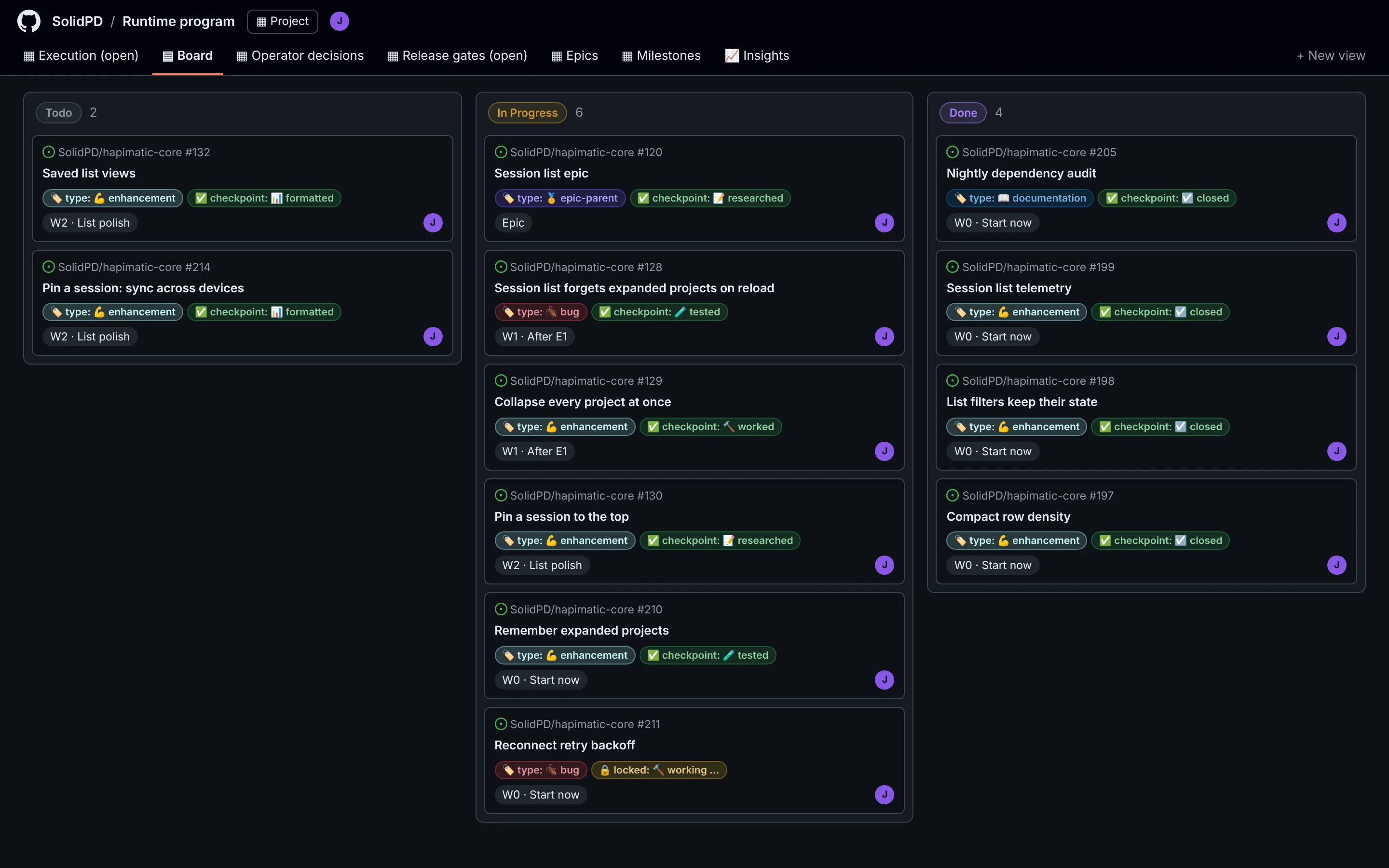
What it can do
- Start from a sentence: create an issue, research it, work on it
- One session per issue, each in its own worktree; multiple sessions working in parallel
- Evidence on the issue: plans, test results, and screenshots
- Approval gates before anything merges
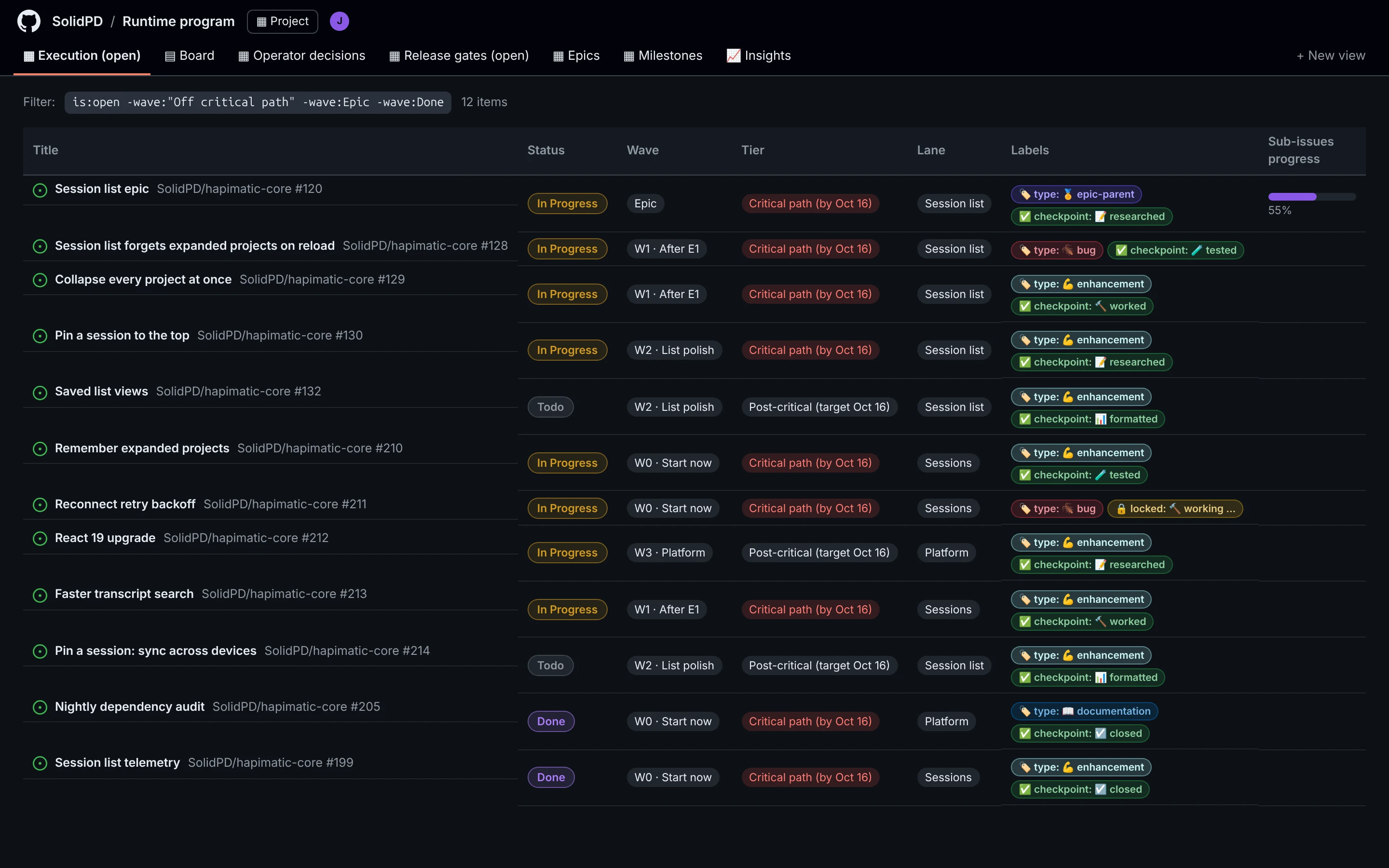
- Epics: a parent issue that tracks and orders its sub-issues
- Milestones that show how much of a release is done
- The Issue Workflow can seed into an existing repo with issues already in progress; no preparation necessary
In use
- create an issue: the session list forgets expanded projects on reload
- research issue 128
- work on issue 128
- approve issue 128
In pilot — contact us
A paid add-on of the hosted service. It is not part of the open-source core.
Paid add-ons for the hosted service
These are paid add-ons of the hosted service. They are not part of the open-source core.
-
Paid add-on
Issue Workflow
Your GitHub issues become the work queue.
- Every issue moves through formatted, researched, implemented, tested, and closed, with the evidence attached
- Anyone with access to the repo can see what is being worked and in what state
- The Issue Workflow can seed into an existing repo with issues already in progress; no preparation necessary
-
Paid add-on
Project Manager
An agent that runs the fleet for you
- The Project Manager spawns peer sessions and hands each one an issue from your plan
- It monitors every session on a schedule and unblocks what it can, so work continues with nobody watching
- It reports back to you in its own session and brings you only the decisions that are yours to make
-
Paid add-on
Hardware Bench
Extend your agent's reach into the physical world with sensors, actuators, lab instruments, PCB design software, and more.
- A bench camera lets your agent see the board, the indicator LEDs, and the instrument screens
- Your agent drives the lab instruments: it loads a rail, profiles the current, and captures an oscilloscope waveform
- It reads the schematic and edits the BOM and the PCB layout in KiCad to carry the fix through